
Skip to content

The ADHD Productivity System

Built for the brain you actually have. Not the one the apps assume.

The Lifestyle Studio digital planners

Eight tabs for the parts of ADHD that most planners ignore โ€” working memory, time blindness, task paralysis, energy that swings by the hour, and the impulse buy you'll regret tomorrow. No streaks to break, no shame if you miss a day, and nothing to set up before you start.

Why this exists

Most planners assume a brain that isn't yours. This one doesn't.

A generic planner assumes you'll remember the stray thought that hit you mid-task, estimate time accurately, keep the same energy all day, and never impulse-buy something at 11pm. For an ADHD brain, every one of those assumptions is where the system usually breaks โ€” and then it's the planner's fault for "not working," when really it was never built for how you actually think.

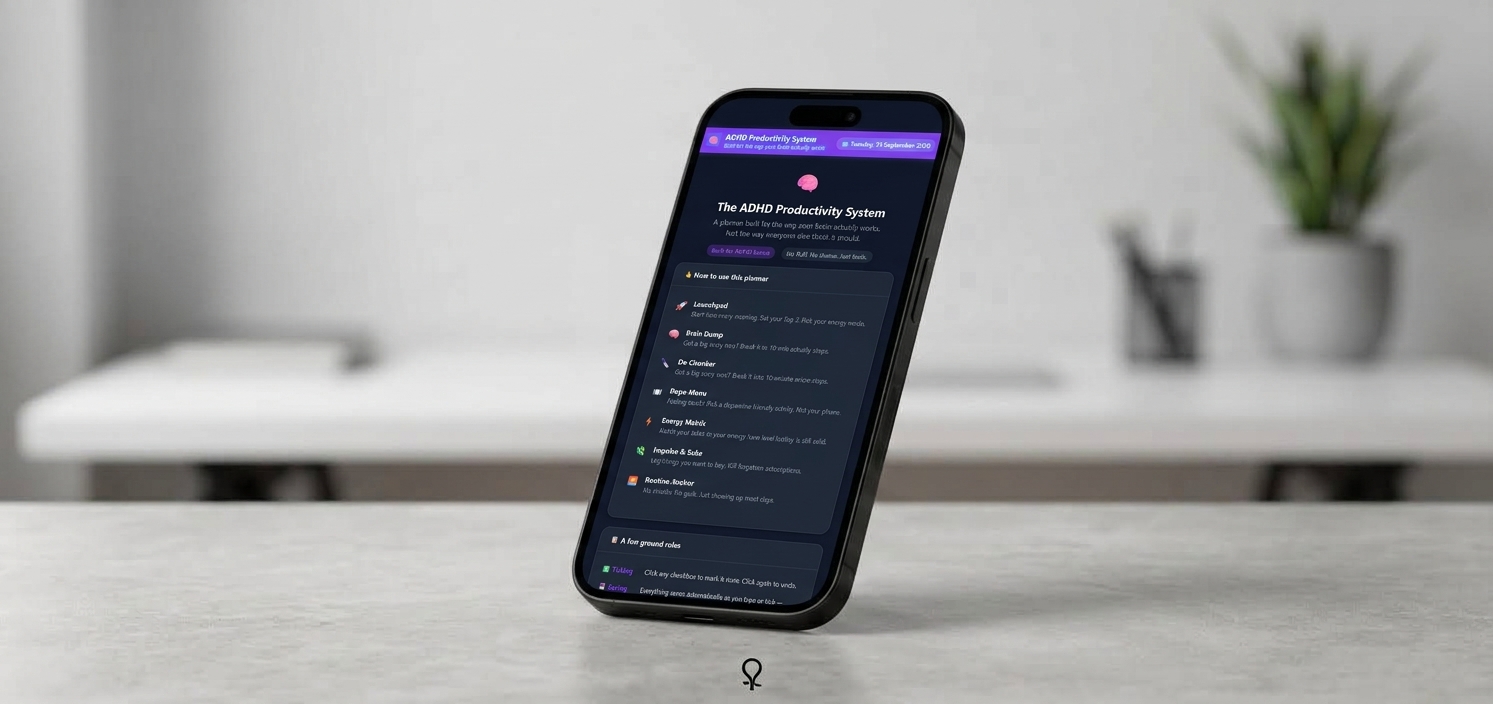
The ADHD Productivity System is one private file with eight tabs: a Start Here map of the app, a Launchpad for your daily Top 3, a Brain Dump to offload stray thoughts without losing focus, a De-Chonker that breaks big tasks into 10-minute steps and tracks how your time estimates compare to reality, a Dopa-Menu of dopamine-friendly activities that aren't your phone, an Energy Matrix that matches tasks to how you actually feel right now, an Impulse & Subs tab that enforces a real 48-hour cooling-off period, and a Routine Anchor for morning and evening basics with zero guilt attached.

Saved automatically, no account needed

Every tick and every field saves to this browser the moment you type or click โ€” there's no save button anywhere in the app, and nothing to sign up for first. Open the file and start.

See it in motion

A video walkthrough of the whole system

Inside the download

Eight tabs. Real supports for the parts of ADHD that planners usually skip.

๐Ÿ  01 โ€” Start Here

A map of the app, not another thing to fill in

  • The screen you land on when you first open the file โ€” a one-line summary of every other tab
  • The ground rules laid out once, up front: ticking, autosave, weekly resets, Grace Days, impulse logging
  • A single prompt pointing you to the Launchpad tab to actually start your day
๐Ÿš€ 02 โ€” Launchpad

Three non-negotiables, and an honest energy check

  • An Energy Mode selector โ€” Full Power, Half Tank, Low Battery, Hyperfocus, or Survival Mode โ€” that updates a short, honest tip underneath
  • Exactly three task rows, each with an urgency level, so "everything" can't quietly become the whole list
  • A progress bar that fills in as you tick tasks off, and a Reset button to clear all three for a new day
๐Ÿง  03 โ€” Brain Dump

Clear your RAM without losing your place

  • A running list for any thought that crosses your mind mid-task โ€” task or idea, category, and urgency
  • A "Processed?" checkbox to mark once you've actually dealt with or filed the thought elsewhere
  • Reset ticks clears every "Processed?" box at the start of a new week without deleting a single row, and Export CSV backs up the whole list
๐Ÿ”ช 04 โ€” De-Chonker

Break the scary task down, then learn your real pace

  • Name the big task once at the top, then list it out as 10-minute-or-less micro-steps underneath
  • An estimated and an actual time for every step, totalled automatically as you go
  • The Time Blindness Trainer compares the two totals and tells you, plainly, whether you ran quicker or slower than expected โ€” building a more accurate internal clock over time, not judging the guess
๐Ÿฝ 05 โ€” Dopa-Menu

Somewhere else to point your brain besides your phone

  • A fixed menu of activity cards in four sections โ€” Starters, Mains, Sides, and Desserts โ€” each with why it works and a rough time estimate
  • Desserts covers the higher-risk stuff honestly โ€” gaming, social media, online shopping โ€” each with a timer or boundary suggested rather than pretending they don't exist
  • Click a card to pin it in a "Currently picked" panel, with a Clear button once you've moved on
โšก 06 โ€” Energy Matrix

Match the task to the battery you actually have

  • Three buttons โ€” High, Medium, Low โ€” set your energy right now, separately from the Launchpad's daily mode
  • Every task in the list is tagged High, Medium, or Low energy, and matching tasks highlight the moment you set your level
  • Reset done unticks completed tasks at the start of a new day without touching the list itself
๐Ÿ’ธ 07 โ€” Impulse & Subs

A real 48-hour pause, and a look at what's quietly renewing

  • Log anything you want to buy โ€” the item and your honest reason โ€” and the app tracks the date automatically
  • A live countdown ("Wait 2 more days") switches to "OK to buy" once 48 hours have actually passed โ€” it isn't editable directly, only time moves it
  • A Subscription Auditor alongside it โ€” service, monthly cost, renewal date, and a Keep/Review/Cancel status you cycle with a click โ€” with a running total of what you're paying monthly
๐ŸŒ… 08 โ€” Routine Anchor

The basics, tracked without a streak to break

  • Fixed Morning and Evening checklists โ€” medication, water, keys, tomorrow's Top 3, one win from the day โ€” tick as you go
  • A Grace Day toggle that softens the message on off days without undoing anything you've already logged
  • An 11-habit by 7-day Weekly Habit Grid with a progress bar, reset manually each Monday, plus Export week for a spreadsheet copy
What actually sets it apart

Two features you won't find in a plain checklist app โ€” because a checklist doesn't know about time.

Enforces the pause, doesn't just suggest it

A cooling-off timer that actually counts

Most "wishlist" trackers are just a list โ€” nothing stops you buying the moment you write something down. Impulse & Subs logs the date automatically and calculates the countdown itself: "Wait 2 more days" ticks down in real time and only switches to "OK to buy" once 48 hours have genuinely passed. There's no field to edit it early.

Status is calculated from the clock, not typed in
Builds a real sense of time, not just a to-do list

The Time Blindness Trainer

De-Chonker doesn't just help you break a task down โ€” it logs what you estimated against what actually happened, step by step, and tells you plainly whether you ran quicker or slower than expected. Over time that's real, personal data about how long things actually take you, not a generic productivity tip.

Estimated vs. actual, totalled automatically
Worth knowing before you rely on it

What actually happens to what you type in.

This is one of the collection's simpler, unencrypted apps โ€” worth understanding fully before you use it day to day.

Local only, by design

No server, no account, no network requests. Everything autosaves to this browser and never leaves your computer unless you export it.

One device at a time

Your data lives in this specific browser's storage. It won't appear if you open the file on a different device or browser โ€” keep the file in one place you'll come back to.

Not encrypted, and not a restore tool

Unlike some of the collection's other apps, there's no password on this one and nothing here is encrypted โ€” it's plain browser storage. Export CSV gives you a spreadsheet copy of your lists, but there's no import back in, so if your browser's storage is ever cleared, you'd be re-entering things by hand from that spreadsheet, not restoring with one click.

From The Lifestyle Studio

Built to work with your brain, not against it

"Most productivity systems assume you'll remember the thought, estimate the time correctly, and feel the same way at 9am and 4pm. We wanted something that assumed none of that โ€” somewhere to dump a stray thought without losing focus, a real pause before an impulse buy, and permission to have a Low Battery day without falling off the whole system. Your brain isn't broken. It just needs different tools."
โ€” The Lifestyle Studio
4.9โ˜… average across The Lifestyle Studio ยท 1,240+ verified reviews
Before you buy

Questions people ask

Is this a medical or clinical tool?

No. It's a productivity planner built around principles that tend to work well for ADHD brains โ€” offloading working memory, matching tasks to energy, breaking big tasks into small ones โ€” but it isn't a diagnostic, treatment, or medical device, and it doesn't replace advice from a doctor or therapist.

Do I need to create an account?

No โ€” there's no login and nothing to set up. Open the file and you're straight into the Start Here tab.

Is my data encrypted or password-protected?

No โ€” this is one of the collection's simpler apps, and it stores everything as plain data in your browser's local storage. It's built for daily planning, not for anything you'd consider sensitive or confidential.

Can I use this on my phone and my laptop?

Each device or browser keeps its own separate copy โ€” there's no automatic sync. It works fine on a phone or tablet browser, but pick one place you'll come back to for anything you want to keep building on day to day.

What happens if I lose my browser data?

Export CSV, available on the Brain Dump, Impulse & Subs, and Routine Anchor tabs, gives you a spreadsheet copy of your lists at any time. There's no one-click import back into the app, so treat those exports as a record to reference and re-enter from, not an automatic restore.

How do I get the files after I buy?

Both files โ€” the app and the user guide โ€” are delivered instantly as a digital download, the same as every product in The Lifestyle Studio collection.

Get The ADHD Productivity System Today for just $17.97

One download. Every tab as described. Nothing left to unlock later.

One-time purchase ยท instant digital download