
Skip to content

The Ultimate Budget Tracker

budget tracker

A private, six-tab budgeting file built to replace the loose spreadsheet-plus-notes-app system: monthly budget, savings goals, debt payoff, subscriptions, a paycheck breakdown, and a full year view โ€” all doing the maths for you, locked behind real encryption, in one file that never leaves your device.

Why this exists

Six tools you're already using badly, replaced by one that does the maths.

A banking app that shows what happened, not what you planned. A spreadsheet for debts that's three months out of date. A subscriptions list that only exists in your head until the statement lands. A savings goal with no real sense of whether you're actually on pace for the date you picked. None of it talks to each other, and none of it tells you the one number that matters: what's actually left over.

Ultimate Budget Tracker is one file with six tabs: a monthly budget that flags overspend as you go, savings goals that know whether you're on track, a debt tracker that works out the mathematically cheapest payoff order, a subscriptions audit, a paycheck breakdown of what's really left, and a full year view that pulls all twelve months together.

Budget vs actual, every category

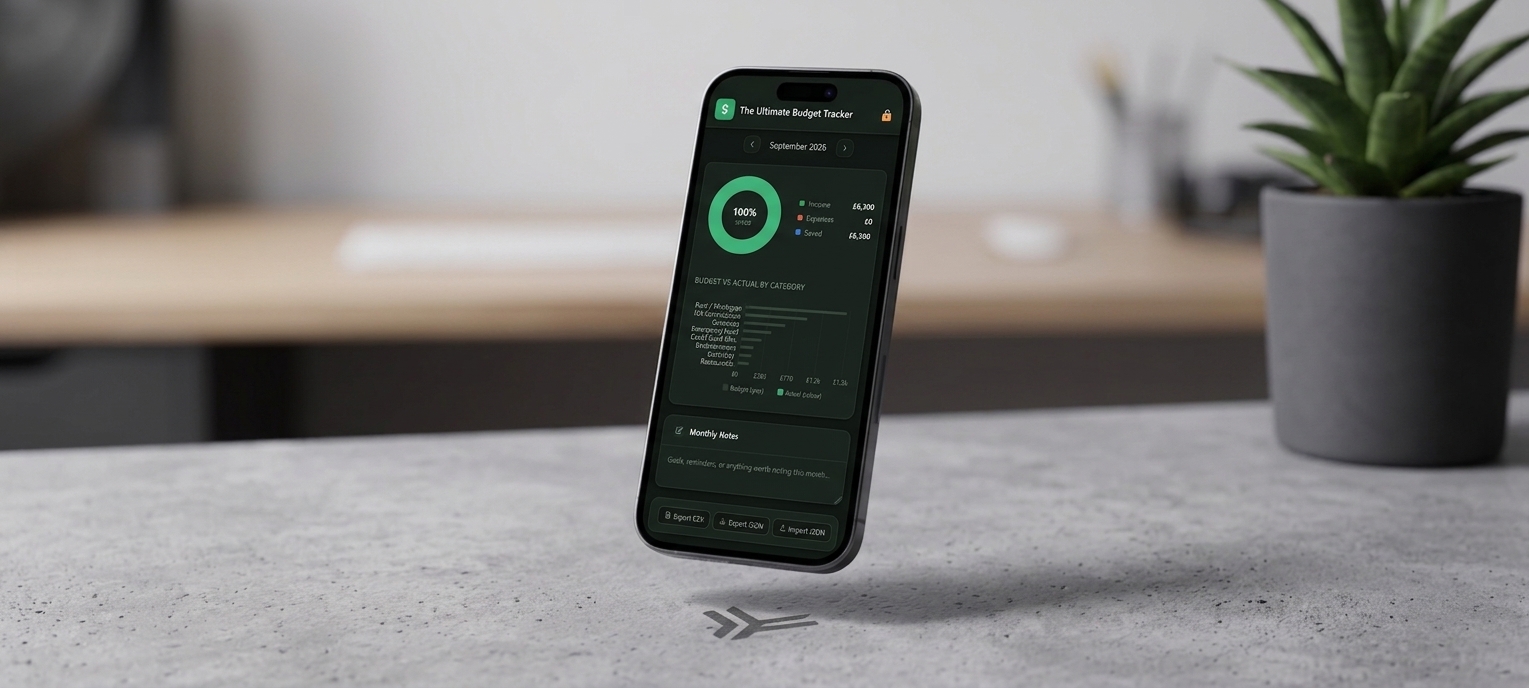
Enter what you planned and what actually happened for every income source and expense line, and the difference โ€” plus your savings rate โ€” calculates itself, with a donut chart and a budget-vs-actual bar chart underneath. Haven't filled in a month yet? The tracker shows the original spreadsheet's estimates until you do.

See it in motion

A video walkthrough of the whole system

Inside the download

Six tabs. One private budget that does the arithmetic for you.

Everything below is what's actually in the file you download โ€” not a mockup of a future version.

๐Ÿ’ฐ 01 โ€” Monthly Budget

The heart of the app โ€” budget vs actual, every line

  • Enter what you planned to earn or spend, then what actually happened โ€” the difference is calculated and colour-coded automatically
  • Four live summary cards: Total Income, Total Expenses, Net Savings, and Savings Rate
  • A donut chart showing how income splits between expenses and savings, plus a budget-vs-actual bar chart of your top categories
  • Add or remove income sources and expense categories freely โ€” the app starts you off with common examples, not a fixed list
๐ŸŽฏ 02 โ€” Savings Goals

Know if you're actually on pace, not just saving something

  • Set a name, target amount, and start/end dates for anything you're saving toward โ€” a holiday, an emergency fund, a house deposit
  • Update "Saved so far" whenever you make a contribution and watch the progress bar move
  • A status badge โ€” On Track, At Risk, or Behind โ€” worked out from how much time has elapsed against your target date
๐Ÿ’ณ 03 โ€” Debt Tracker

The mathematically cheapest way out, worked out for you

  • Log every debt's name, balance, interest rate, and minimum payment in one place
  • Debts sort automatically by interest rate, highest first, with a "โšก Pay First" badge on the one to attack next โ€” the Debt Avalanche method
  • Set a monthly extra payment and it's added straight to whichever debt currently carries the highest rate
๐Ÿ“ฑ 04 โ€” Subscriptions

Every recurring payment, in one place, finally

  • Add each subscription's name, category, and monthly cost โ€” the annual cost is calculated automatically
  • Click a status label to cycle it through Active, For Review, or Cancel, so your subscriptions list doubles as an action list
  • A running annual total at the top of the tab โ€” often the most eye-opening number in the whole app
๐Ÿ’ต 05 โ€” Paycheck View

What's actually left, after everything else is accounted for

  • Nothing to enter here โ€” it pulls straight from your Monthly Budget tab automatically
  • Subtracts fixed bills, variable spending, savings contributions, and debt payments from your income
  • Shows the real "Left Over" figure at the bottom โ€” your actual discretionary money, not a guess
๐Ÿ“Š 06 โ€” Year Overview

Twelve months, side by side, so patterns actually show up

  • A grouped bar chart of income, expenses, and savings for every month, with the current month highlighted
  • A savings rate line chart with a filled area, so the trend is obvious at a glance โ€” no squinting at a table of numbers
  • Months you haven't entered yet show the original spreadsheet's estimates, marked (est), and update automatically once you add real figures
What actually sets it apart

Most budget trackers hide your screen. This one actually locks your data.

Real encryption, required from day one

AES-256, not a cosmetic lock

Every month's budget, your savings goals, debts, and subscriptions are encrypted with AES-256, using a key derived from your password with 250,000 rounds of PBKDF2. It isn't optional here โ€” you set a password the first time you open the file, and the app locks itself automatically after 10 minutes idle.

Genuinely unreadable without your password โ€” see the trade-off below
The Debt Avalanche, done for you

No spreadsheet, no manual sorting

Most trackers just list your debts. This one sorts them by interest rate automatically, flags the one to attack first, and rolls your extra payment straight to it โ€” the mathematically cheapest way to get out of debt, without doing the maths yourself.

Highest rate first, every time, automatically
Built for a private budget

Nothing about your finances belongs on someone else's server.

Ultimate Budget Tracker is unusually private โ€” and locking it with a real password is a genuine choice, with a real cost if you're not prepared for it.

Local only, by design

No server, no account, no network requests. Your figures autosave to this browser as you type and never leave your device unless you export them.

No password reset โ€” genuinely

Because your password is the encryption key, forgetting it means the data on that device is permanently unreadable โ€” even to us. Export a JSON backup regularly, and keep it somewhere you trust.

Two ways to export

A full JSON backup you can re-import on any device, and a CSV export of the current month for opening in Excel, Sheets, or Numbers โ€” CSV is one-way, so JSON is what you restore from.

What you get

One purchase, two files

No upsells, no locked tabs โ€” this is everything included the moment you download.

.html

Ultimate Budget Tracker, the app

The full six-tab tracker โ€” a single file that opens straight in your browser, no install required.

.pdf

The user guide

A 13-section guide to every tab, how the encryption works, exporting, and troubleshooting.

From The Lifestyle Studio

Built to tell you what's actually left over

"We were tired of spreadsheets that told us what happened last month instead of what to do about it. So we built one file that budgets, saves toward real goals, pays down debt in the right order, and tells you what's actually left โ€” with real encryption, not just a screen that hides while your numbers sit in the clear underneath."
โ€” The Lifestyle Studio
4.9โ˜… average across The Lifestyle Studio ยท 1,240+ verified reviews
Before you buy

Questions people ask

Do I have to set a password?

Yes โ€” this is the one product in the collection where password protection isn't optional. The first time you open the file, you'll be asked to set one before entering any data; from then on it's the key that decrypts your budget every time you open it.

What happens if I forget my password?

There's no reset โ€” your password is the encryption key itself, so a forgotten one means the data on that device is permanently unreadable. Export a JSON backup regularly, as a matter of course.

Can I use it on more than one device?

Each device keeps its own separate copy of your data. Use Export JSON and Import JSON to move your budget between devices โ€” it doesn't sync automatically.

What if I don't enter data for a month?

The Year Overview tab shows the original spreadsheet's estimated figures for that month, marked (est), so your charts and summary table never show a gap โ€” they're replaced automatically the moment you enter real numbers.

Does it work on my phone?

Yes โ€” the layout adjusts automatically for smaller screens, so you can update a figure or check your savings rate from your phone's browser.

How do I get the files after I buy?

Both files โ€” the app and the user guide โ€” are delivered instantly as a digital download, the same as every product in The Lifestyle Studio collection.

Sort out this month's budget in minutes

Get The Ultimate Budget Tracker for just $22.97

One download. Every tab described above. Nothing left to unlock later.

One-time purchase ยท instant digital download
Get the Tracker โ€” $22.97
๐Ÿ”’Secure Checkout
โฌ‡Instant Digital Delivery
โœŽ30-Day Support